Automating My Daily Tech News: N8N, RSS Feeds, and GitHub Copilot CLI
How I built an automated system to collect, summarize, and deliver tech news daily using N8N workflows, RSS feeds, and GitHub Copilot CLI - cutting through the noise to stay informed without it becoming a second job.
Automating My Daily Tech News: N8N, RSS Feeds, and GitHub Copilot CLI
Nowadays, there are countless sources of information, and keeping up with everything becomes a full-time job.
I had been looking for the best way to have all the news I was interested in available, in a format that was accessible and could eliminate the “noise.”
🤔 The Problem: Information Overload
The various options I had identified were:
Industry Newsletters
Why I excluded them: At a certain point, I was receiving so many emails that I considered them spam rather than something useful.
Classic RSS Readers (like InoReader)
Why I excluded them: I always found backlog management difficult. Plus, it turned out to be nothing more than a list of links, without highlighting what was important and what wasn’t.
💡 The Solution: Building My Own System
In the end, as part of the digital independence I’m trying to achieve (I’ll talk more about this later), I thought the best solution was to build my own method for collecting information, the way I wanted it.
My philosophy: If the tools don’t work for you, build your own.
So I installed N8N in my homelab and created a workflow that’s delivering exactly what I need.
🔧 How It Works: The N8N Workflow
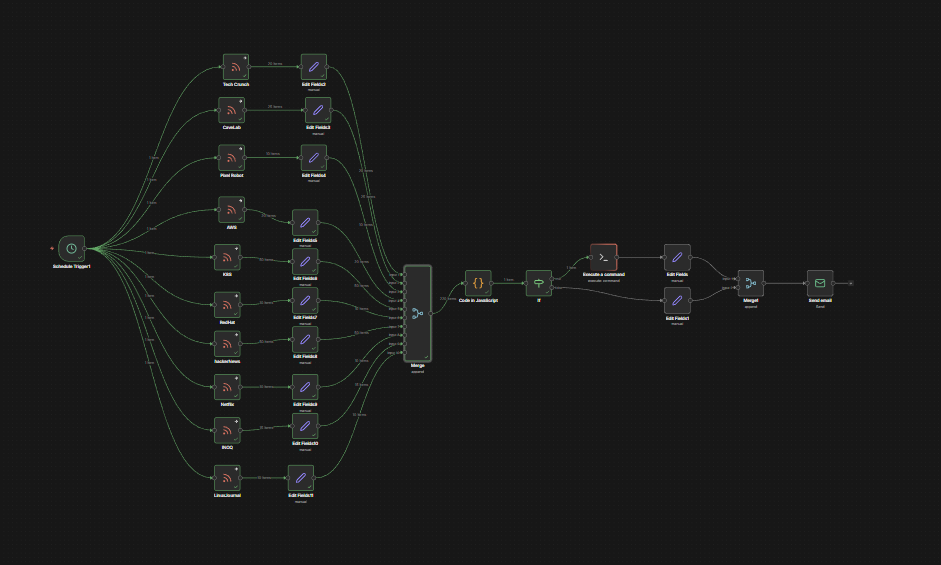
Here’s the complete flow:
Step 1: RSS Feed Collection
I gathered several RSS feeds of interest to me, then added the feed name to the output using a Set Node.
This way, I can easily track which source each article comes from.
Step 2: Merging Results
Obviously, I don’t want to burn through my premium Copilot requests in a week, so I take all the results and perform a merge to have a single output.
This consolidates everything into one batch for processing.
Step 3: Filtering by Date
I then execute processing with a JavaScript Function Node, where I filter the news to only include items from the previous day, so I can receive the latest news every day.
Step 4: Creating the Prompt
Here I create a fairly simple prompt. In my case, it’s:
Generate ONLY HTML (no Markdown, no text outside HTML) for an email summary.

Title: "Tech Summary - Yesterday's News (${humanDate})"

OUTPUT REQUIREMENTS:
- HTML suitable for email (use <div>, <h2>, <p>, <table>), with simple inline CSS.

Section 1: "Complete Summary"
- format: bullet list (<ul><li>)
- maximum 6–8 points
- each point:
  - thematic title in <strong>
  - 1–2 brief and clear sentences
- NO long paragraphs
- NO wall of text

Section 2: "News Details" (table) with columns:
  Feed | Title (clickable) | Link (visible) | Brief summary (1-2 lines) | Date

- Don't wrap the HTML in ```html blocks.
- Don't include telemetry/usage.
This creates a “prompt” string in the output, and I also add a boolean “should_call_copilot” so that if there’s no news, Copilot doesn’t get called unnecessarily.
🤖 The GitHub Copilot CLI Integration
At this point, on an LXC container in my homelab, I installed the Copilot CLI, and created a simple script whose core is the following line:
OUTPUT="$(copilot -p "$PROMPT" 2>&1 | tee -a "$LOG_FILE")"This allows me to get a very valuable summary in HTML format, which I simply insert as text into a Send Email Node.
📧 The Final Result
Here’s what I receive every evening:
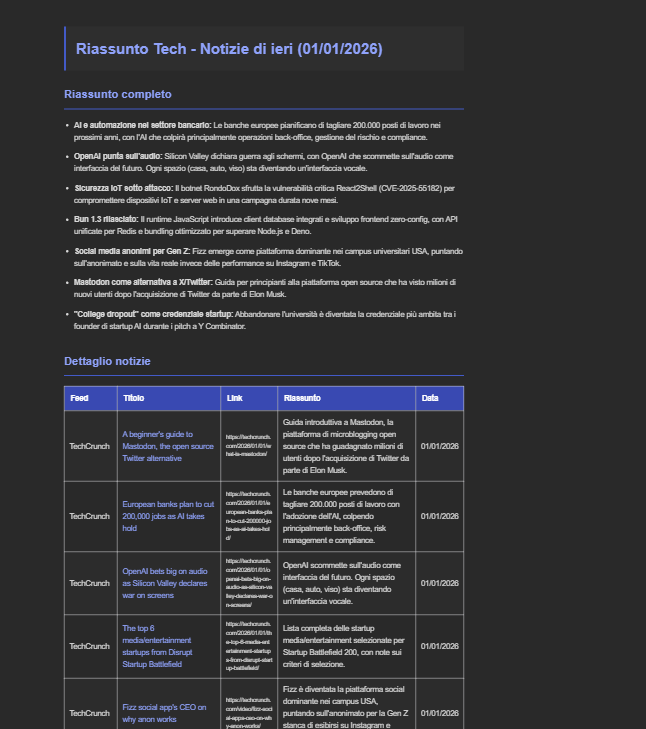
Thanks to this mechanism, every evening I dedicate about half an hour between household chores to reading the news, and I manage to feel connected to the world without information gathering becoming a second job.
🎯 Key Benefits
Time Saved: No more manually checking 10+ sources daily
Noise Reduction: AI-powered summarization highlights what matters
Customizable: Easy to add/remove RSS feeds based on interests
Self-Hosted: Complete control over my data and processing
Consistent: Arrives at the same time every day
🚀 What’s Next?
This is just the beginning. I’m planning to:
- Add categorization by topic (DevOps, Cloud, Development, etc.)
- Implement sentiment analysis to prioritize breaking news
- Create a web interface to browse past summaries
- Share my N8N workflow template on GitHub
💭 Final Thoughts
Building this automation was more than just a technical exercise. It’s part of a larger journey toward digital independence - taking control of the tools and systems I use daily rather than being at the mercy of algorithms and corporate platforms.
If you’re drowning in information sources like I was, I highly recommend building something similar. The beauty of tools like N8N is that they make this kind of automation accessible without needing to be a hardcore developer.
The result? I’m more informed, less overwhelmed, and I actually enjoy my daily news digest again.
Have you built similar automation workflows? I’d love to hear about your approach. Feel free to reach out!
Related Articles

Azure MCP + EntraAware: Integrating MCP Servers with GitHub Copilot in Visual Studio Code
March 5, 2026
How I combined Azure MCP and EntraAware MCP servers with a custom GitHub Copilot agent in Visual Studio Code to handle Azure auditing tasks in natural language, turning hours of portal navigation into a simple conversation.
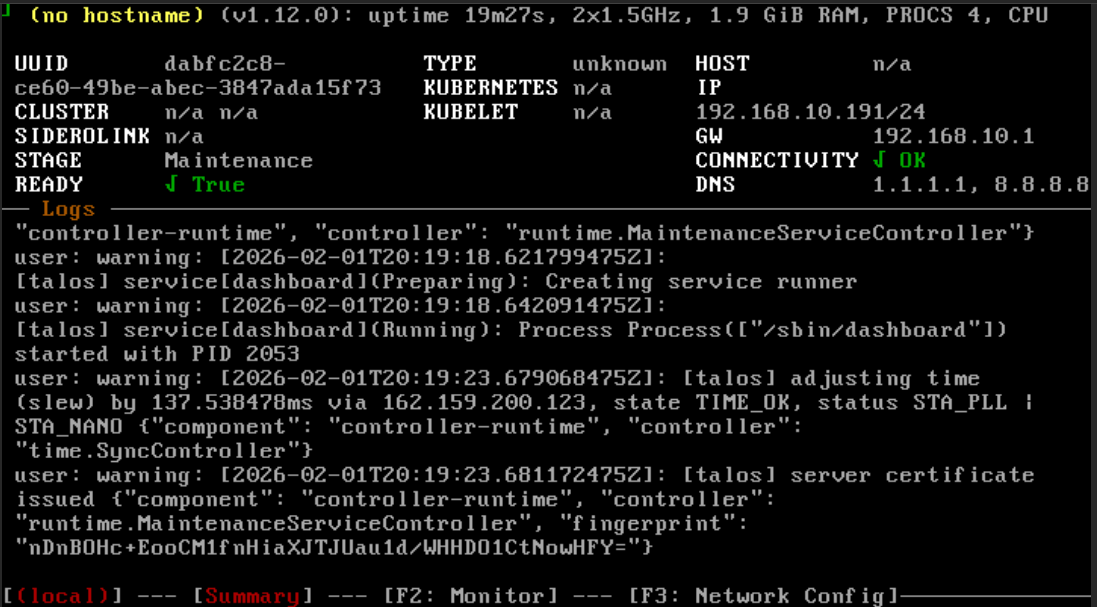
Installing Talos Kubernetes on Proxmox: A Complete Guide
February 1, 2026
Learn why Talos is the best OS for running Kubernetes, how it compares to alternatives, and follow a complete guide to setting up a production-grade cluster with Cilium CNI on Proxmox.
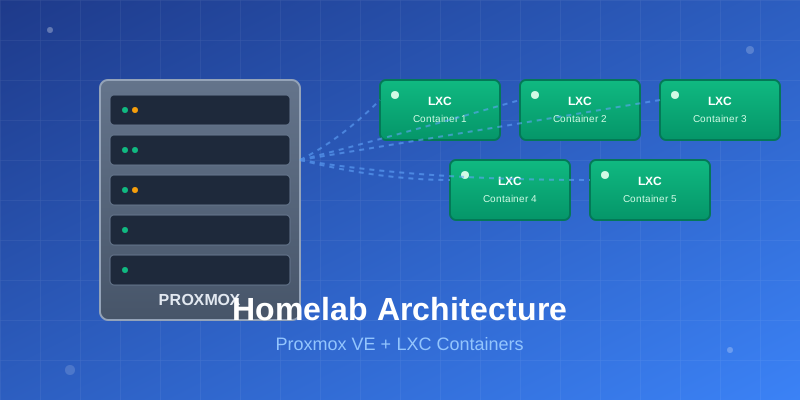
Building My Homelab: From Failed Attempts to a Solid Proxmox Setup
December 28, 2025
After years of failed attempts, I finally built a stable homelab using Proxmox, LXC containers, and proper architectural decisions. Here's my journey from chaos to a manageable self-hosted infrastructure.
Contact Me
Have questions or want to collaborate? Send me a message!