Building a Django Hotel Booking System - Part 2: Cloud Deployment on Azure
Deploy a Django application to Azure using Infrastructure as Code with Terraform, CI/CD pipelines with GitHub Actions, and modern DevOps practices for zero-touch deployment.
Building a Django Hotel Booking System - Part 2: Cloud Deployment on Azure
📖 Series Navigation: This is Part 2 of a two-part series. If you haven’t read Part 1: Application Development, start there to understand the application architecture and Django implementation.
After building the Hotel Pegaso application (see Part 1), the most dreaded moment arrived: putting it into production.
The university requirements included: “Deploy the application to a cloud platform with automated CI/CD.”
Me: “Eh… I need to deploy it to the cloud…”
Professor: “How long will it take?”
Me (thinking of all the disastrous manual deploys I’d done): “Give me a week”.
Actually it took 3 days. But I learned a lot about Infrastructure as Code and CI/CD.
In this second part I’ll show you how I deployed the application to Azure Cloud using Infrastructure as Code and automated CI/CD pipelines. Modern DevOps practices for production-ready deployments.
📋 Deployment Overview
The deployment strategy showcases modern cloud-native practices:
Infrastructure Components
- Platform: Azure App Service for hosting
- Infrastructure Management: Terraform for IaC
- Database: PostgreSQL on Azure (managed service)
- CI/CD: GitHub Actions for automated deployment
- Architecture: Zero-touch deployment design
You can find the complete source code on GitHub.
🛠️ Technology Stack
For deployment and infrastructure:
| Technology | Purpose |
|---|---|
| Azure | Cloud platform hosting |
| Terraform | Infrastructure as Code |
| GitHub Actions | CI/CD automation |
| PostgreSQL | Managed database service |
🏗️ Infrastructure as Code with Terraform
One of the project’s highlights is the complete infrastructure automation using Terraform. This enables zero-touch deployment and environment replication.
Azure Resources
Our infrastructure includes the following components:
1. Resource Groups
Logical containers for organizing Azure resources
2. PostgreSQL Server
Managed database service with:
- Automatic backups
- High availability options
- Security features
3. App Service Plan
Hosting platform for the web application with:
- Scalability options
- Performance tiers
- Region selection
4. Storage Account
Terraform state file management for:
- Team collaboration
- State consistency
- Version control
5. Key Vault
Secure storage for:
- Secrets and credentials
- Connection strings
- API keys
Remote State Management
To enable team collaboration and maintain infrastructure consistency, I configured Terraform to use Azure Storage as a remote backend.
Configuration
terraform {
  backend "azurerm" {
    resource_group_name   = "rg-terraform-states-001"
    storage_account_name  = "satfcrosswesteu001"
    container_name        = "tfstate"
    key                   = "development.tfstate"
  }
}
Benefits
This setup ensures that infrastructure state is:
- Centrally stored and accessible to the team
- Protected from concurrent modifications
- Version-controlled and recoverable

Multi-Environment Support
The infrastructure is organized to support multiple environments, each with its own configuration:
- Development: For testing new features
- Staging: For pre-production validation
- Production: For live application
Each environment has:
- Separate state files
- Independent resource configurations
- Isolated networking

🔄 CI/CD Pipeline with GitHub Actions
The project implements a comprehensive CI/CD strategy using GitHub Actions for both infrastructure and application deployment.
Terraform Pipeline
The infrastructure deployment pipeline includes several automated stages:
Stage 1: Azure Authentication
Using Service Principal credentials for secure access
Stage 2: Terraform Init
Initialize Terraform with remote backend configuration
Stage 3: Terraform Plan
Generate and review execution plan
Stage 4: Manual Approval
Environment protection rules require approval for production
Stage 5: Terraform Apply
Execute infrastructure changes

Approval Mechanism
The approval mechanism is crucial for production safety, ensuring:
- Human oversight of infrastructure changes
- Compliance with change management policies
- Prevention of accidental deployments

Application Deployment Pipeline
The Django application deployment is fully automated using GitHub Actions.
Workflow Configuration
name: Deploy Django App to Azure

on:
  push:
    paths:
      - 'hotel_pegaso/**'
    branches:
      - main
  workflow_dispatch:

jobs:
  build-and-deploy:
    runs-on: ubuntu-latest
    steps:
    - name: Checkout code
      uses: actions/checkout@v2

    - name: Set up Python
      uses: actions/setup-python@v2
      with:
        python-version: '3.9'

    - name: Deploy to Azure Web App
      uses: azure/webapps-deploy@v2
      with:
        app-name: 'as-pegaso-dev-westeu-001'
        publish-profile: ${{ secrets.AZURE_WEBAPP_PUBLISH_PROFILE }}
        package: ./hotel_pegaso
Pipeline Features
- Automatic triggers on code changes
- Python environment setup
- Azure deployment integration
- Manual triggers for on-demand deployments
Automated Database Setup
The App Service is configured to automatically handle Django operations during deployment.
Operations Performed
- Run database migrations
- Collect static files
- Create superuser account (using environment variables)
Configuration
These operations are configured through App Service settings:
app_settings = {
  "SCM_DO_BUILD_DURING_DEPLOYMENT" = "true"
  "POST_BUILD_COMMAND" = "python3 manage.py makemigrations && python3 manage.py migrate && python3 manage.py collectstatic --noinput"
  "PYTHON_VERSION" = "3.9"
}
🎯 Deployment Results
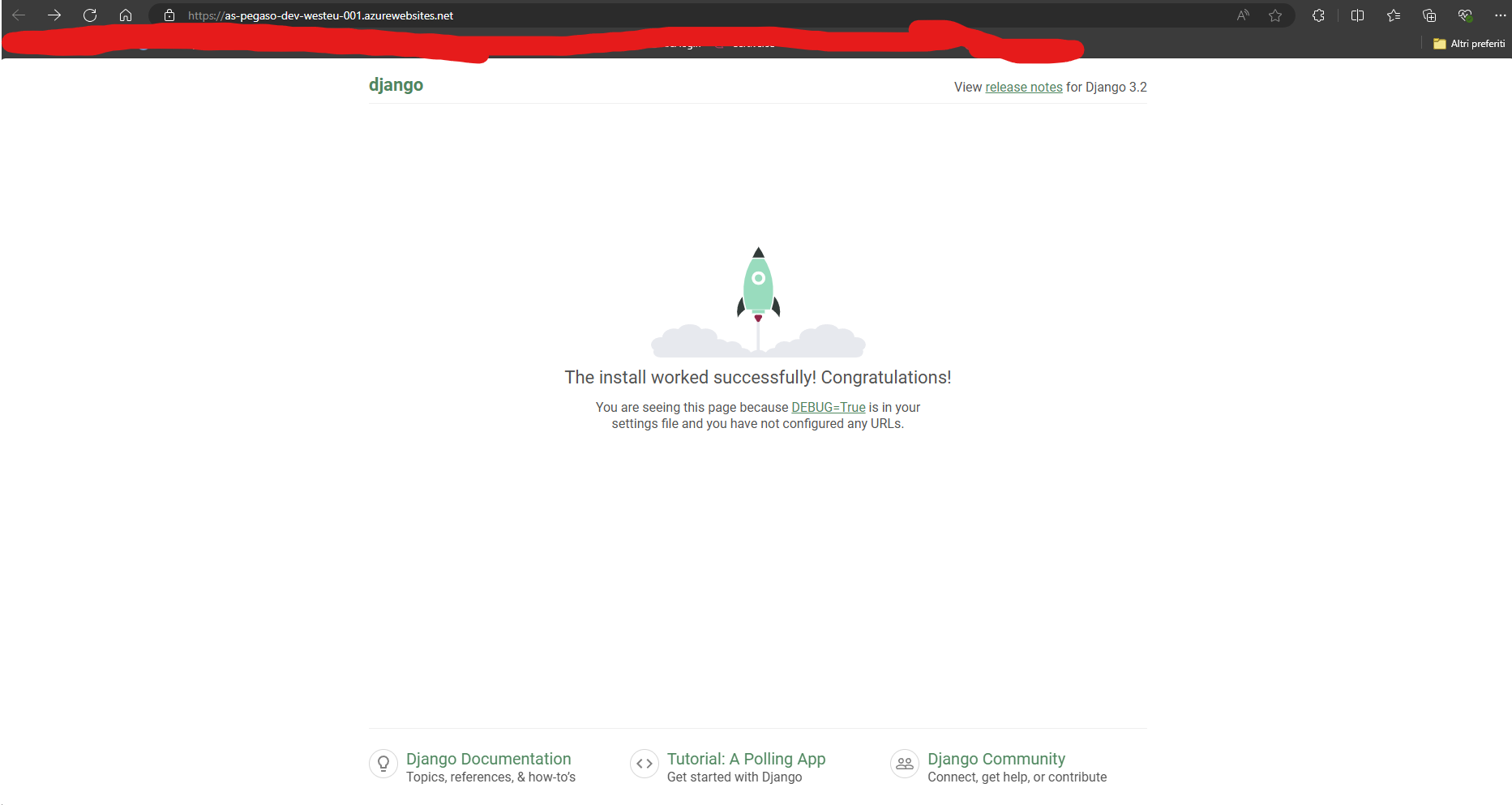
After successful deployment, the application is fully operational on Azure App Service.
Application Features
The deployed application provides:
- User-friendly interface for hotel bookings
- Real-time availability checking
- Admin panel for hotel management
- Booking confirmation with PDF generation
- Responsive design for all devices
🔒 Security Considerations
The project implements several security best practices to ensure a secure deployment.
Security Measures
1. Secret Management
Sensitive data stored in Azure Key Vault:
- Database passwords
- API keys
- Service credentials
2. Database Security
Firewall rules to restrict database access:
- Allow specific IP ranges
- Block public access
- Enable SSL connections
3. HTTPS Enforcement
Secure communication enforced:
- Redirect HTTP to HTTPS
- Use TLS 1.2 or higher
- Valid SSL certificates
4. Environment Variables
Configuration separated from code:
- No secrets in source control
- Environment-specific settings
- Easy configuration updates
5. Service Principal
Least-privilege access for CI/CD:
- Limited permissions
- Scope-based access
- Regular credential rotation
👨💻 Development Workflow
The development process follows conventional commit standards using cz-customizable.
Setting Up
npm i cz-customizable -g
cz-cust
Benefits
This ensures:
- Consistent commit messages
- Semantic versioning support
- Improved project maintainability
- Better collaboration
💡 Key Learnings
Building this deployment pipeline provided valuable insights into modern DevOps practices.
1. Infrastructure as Code
Terraform enables:
- Reproducible infrastructure
- Version-controlled configurations
- Consistent environments
2. CI/CD Automation
GitHub Actions simplifies:
- Deployment workflows
- Testing automation
- Release management
3. Cloud Services
Azure provides:
- Comprehensive PaaS offerings
- Managed services
- Global infrastructure
4. DevOps Practices
Combining development and operations:
- Improves delivery speed
- Reduces errors
- Enhances collaboration
5. Zero-Touch Deployment
Automated workflows:
- Reduce human error
- Increase reliability
- Enable faster iterations
🚀 Future Improvements
Potential enhancements for the deployment include:
Infrastructure Enhancements
Higher SKU Database
- Enable private endpoints
- Enhanced security features
- Better performance
Self-Hosted Agents
- For GitHub Actions
- Reduce costs
- Better control
Key Vault References
- Direct integration with App Service
- Simplified secret management
- Automatic rotation
Application Enhancements
Cloud-Native Storage
- Azure Blob Storage for media files
- CDN integration
- Cost optimization
Monitoring
- Application Insights integration
- Performance tracking
- Error monitoring
Auto-Scaling
- Configuration for high traffic
- Cost optimization
- Load balancing
📝 Conclusion
This project demonstrates a complete DevOps lifecycle, from development to production deployment.
What We Accomplished
By combining:
- Django’s powerful framework
- Azure’s cloud services
- Terraform automation
- GitHub Actions CI/CD
We created a modern, scalable, and maintainable application with zero-touch deployment.
Key Takeaways
The zero-touch deployment approach ensures:
- Consistency across environments
- Reduced human error
- Faster iteration cycles
- Better team collaboration
Whether you’re deploying a hotel booking system or any other web application, these patterns and practices can help you create robust, cloud-native solutions.
📚 Resources
- Project Repository
- ← Part 1: Application Development - Read about the Django application architecture
- Terraform Azure Provider
- GitHub Actions Documentation
- Azure App Service
This is Part 2 of a two-part series on building and deploying a Django hotel booking system. This article showcases real-world DevOps practices and cloud architecture patterns that can be adapted for any web project.
Related Articles
Self-Hosted GitHub Actions Runners: When Free Minutes Run Out
December 1, 2025
Running out of free GitHub Actions minutes? Here's how to set up your own self-hosted runner for unlimited CI/CD workflows.

How I Built This Blog: Astro, Docker Images, Caddy and Zero-Touch CI/CD
November 24, 2025
The complete story of building my personal blog with Astro's versatility, Caddy instead of Nginx, Docker containerization, and GitHub Actions for automated deployments.

Azure MCP + EntraAware: Integrating MCP Servers with GitHub Copilot in Visual Studio Code
March 5, 2026
How I combined Azure MCP and EntraAware MCP servers with a custom GitHub Copilot agent in Visual Studio Code to handle Azure auditing tasks in natural language, turning hours of portal navigation into a simple conversation.
Contact Me
Have questions or want to collaborate? Send me a message!